Designing Headless Authentication for AEM Using ID.me
This article explains how to integrate ID.me OpenID Connect (OIDC) with Adobe Experience Manager (AEM) using an SDK-first, token-based approach that shifts authentication ownership to frontend applications.
ID.me acts as source of truth for authentication and token lifecycle, while AEM operates as stateless content and API platform.
In this article:
- Use ID.me SDK as primary authentication mechanism across applications
- Delegate login, MFA, assurance levels, and token lifetimes to ID.me
- Support SPA and headless architectures, where the frontend controls authentication and navigation
- Avoid AEM-managed sessions, OSGi authentication handlers, and
/home/userssynchronization - Validate and consume ID.me access tokens via custom AEM Sling Servlets
- Enforce token-based authorization instead of server-side AEM sessions
ID.me is integrated using a client-side SDK model, with AEM relying exclusively on validated tokens rather than server-managed sessions. This approach mirrors Amazon Cognito integrations and eliminates the use of AEM’s native session management and user profiles.
For a similar implementation, see: Designing Component-Driven Authentication in AEM with Amazon Cognito
Select AEM Authentication Model: Headless vs Native
AEM offers multiple authentication models for integrating ID.me, each differing in how authentication state and sessions are managed.
Native AEM OIDC Authentication (Not Covered in This Guide)
In this model, AEM owns and manages the authentication session lifecycle, while ID.me is used only for initial identity verification. After the first authentication, AEM maintains user sessions and authorization independently, without relying on ID.me for ongoing session state.
This approach relies on AEM’s built-in OIDC authentication handlers:
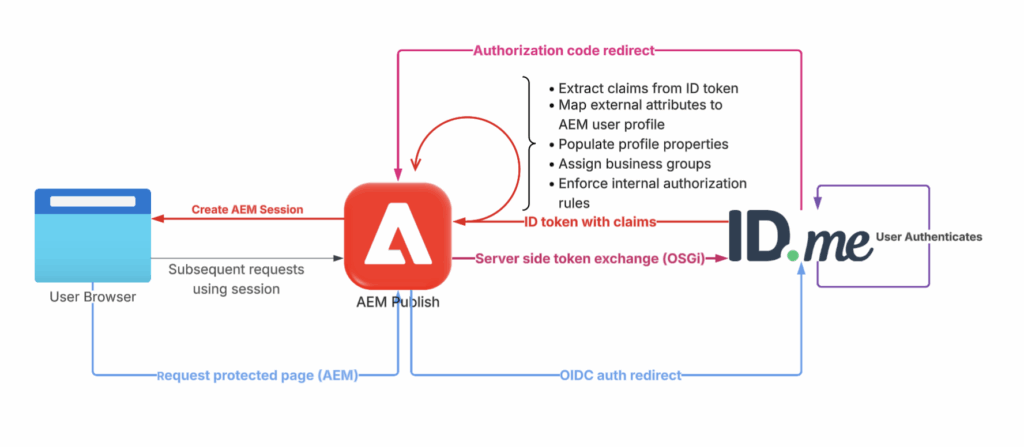
- AEM redirects users to ID.me for authentication
- AEM exchanges authorization codes for tokens
- AEM validates ID tokens server-side
- AEM synchronizes users under /home/users/…
- AEM enforces permissions and ACLs
- Login and session lifecycle are fully controlled by AEM
Best suited for:
- AEM portal-style applications
- Sites requiring page-level ACL enforcement
- Workflows that depend on user creation inside AEM
Native AEM OIDC works well when AEM owns users, sessions, and page-level authorization.
This guide intentionally takes a different approach: headless, SDK-based authentication, where identity and session state remain entirely outside AEM.
For an AEM as a Cloud Service implementation, see: Implementing ID.me OpenID Connect (OIDC) with AEM as a Cloud Service
Headless Authentication (SDK-Based)
ID.me owns authentication and token lifecycle. AEM only validates tokens.
In this model:
- Authentication happens through ID.me SDK
- ID.me performs MFA, IAL2, AAL2
- ID.me issues tokens (ID, access, refresh)
- AEM application receives tokens and validates them
- No AEM session is created
- No AEM users or ACLs are used
AEM behaves as headless or hybrid application with security delegated to ID.me.
Best for:
- SPAs (React, Vue) integrated into AEM
- API Gateway / Lambda / Cognito-driven systems
- Zero user storage in AEM
- Microservices architectures
- Government or regulated environments where identity must not persist in AEM
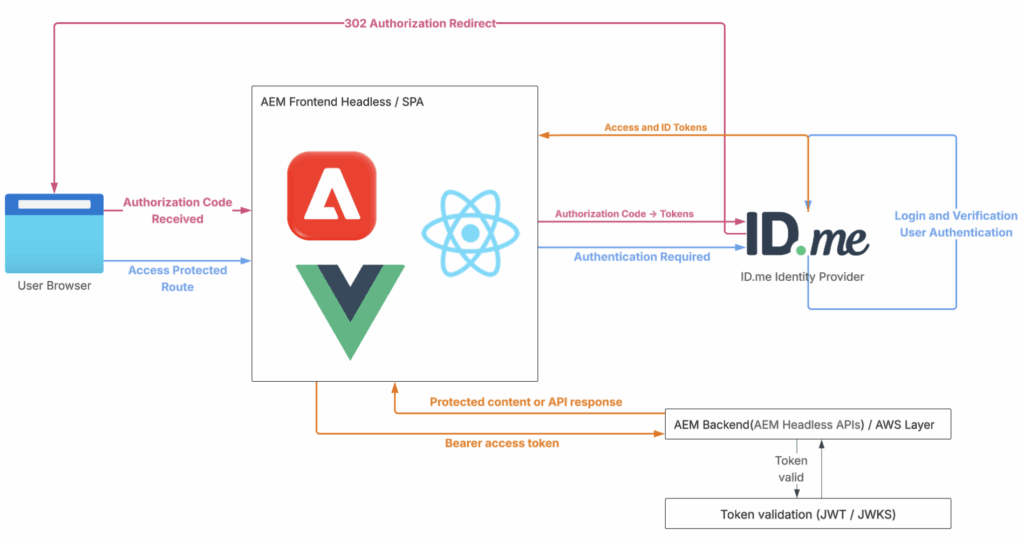
This article focuses exclusively on this model.
Configuring ID.me for SPA and Headless AEM
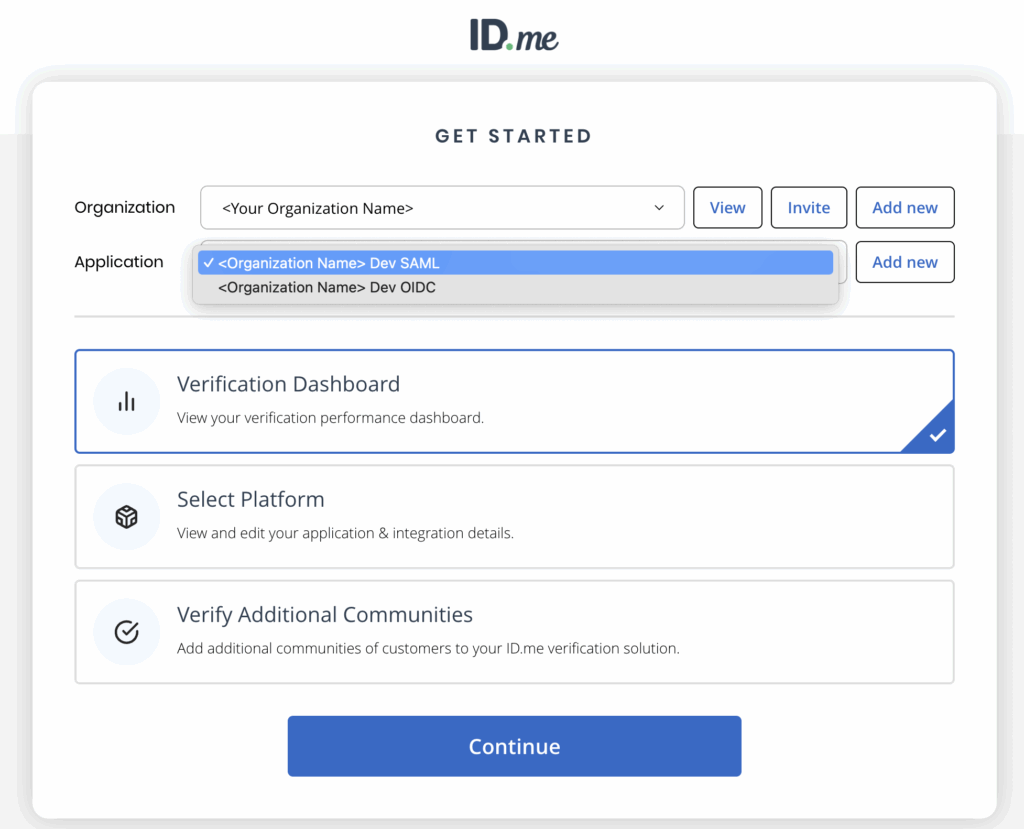
Before implementing authentication flow, organization and application must be created and configured in ID.me developer portal.
Developers can access the ID.me developer portal at https://developers.idmelabs.com.
For distributed or outsourced teams, portal access may vary by region. A company-approved VPN (for example, NordVPN) can provide consistent access during development and testing.
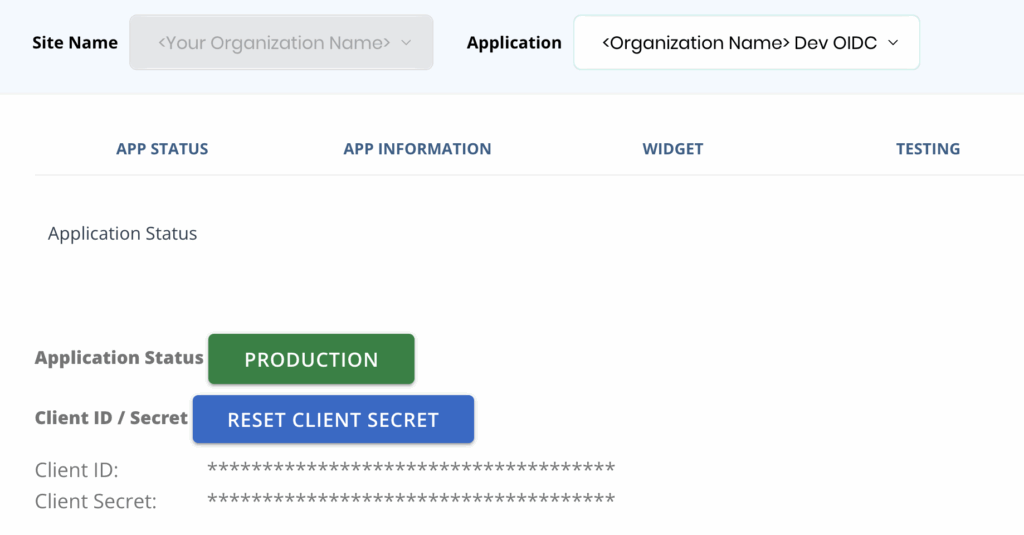
View OIDC application credentials, including the client ID and client secret.
Organization represents ownership. Application defines frontend integration, authentication protocol, redirect URIs, and security requirements.

Redirect URIs define SPA callback routes where ID.me returns browser with authorization code and state after authentication.
Use browser API window.location.search to read query parameters after redirect completes.
SPA callback URL must be defined and registered first so ID.me has valid HTTP 302 redirect target before token exchange logic runs.
Create real SPA route, for example:
/content/flagtick/callbackThis route:
- Exists in SPA router
- Loads normally in browser
- Has space to run callback logic
ID.me uses data-scope parameter in OIDC authorization request to define the required assurance level.
For example:
http://idmanagement.gov/ns/assurance/ial/2/aal/2Redirect Flow Validation Using ID.me Sandbox
Before secure SPA or AEM headless integration, validate ID.me redirect configuration using direct browser access.
This step verifies client ID, redirect URI, scopes, and application status.
Example authorization URL:
https://api.idmelabs.com/oauth/authorize
  ?client_id=<CLIENT_ID>
  &redirect_uri=<Callback URL>
  &response_type=code
  &scope=openid http://idmanagement.gov/ns/assurance/ial/2/aal/2
&op=signin/signupOpening this URL in browser confirms ID.me accepts request and redirects to login or signup flow.
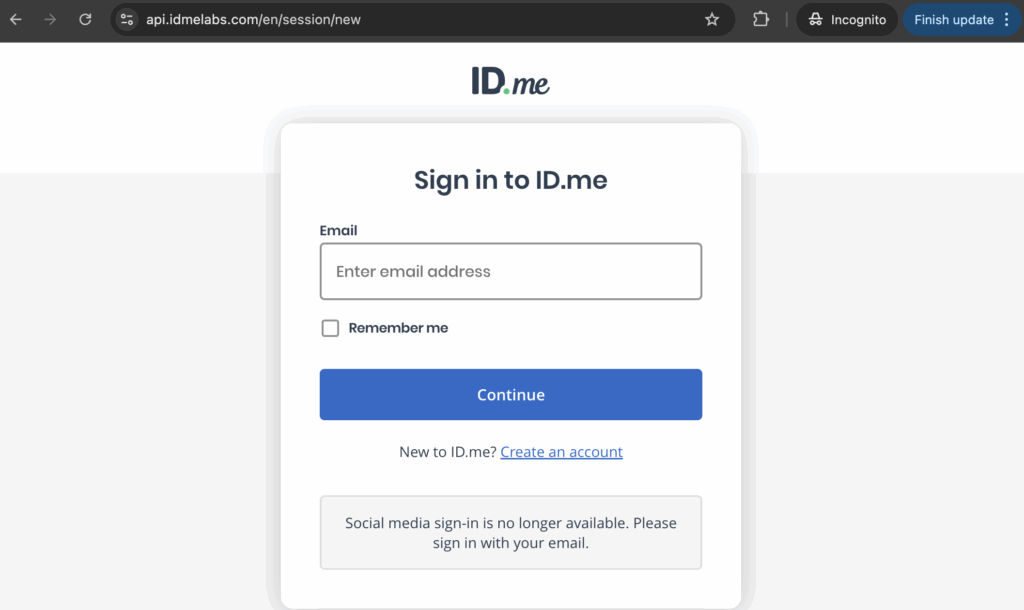
During authorization redirect, ID.me supports control of signin or signup behavior using op parameter.
op=signuproutes browser to sandbox account creationop=signinroutes browser to sign-in screen
First-time sandbox users must create account before authentication continues.
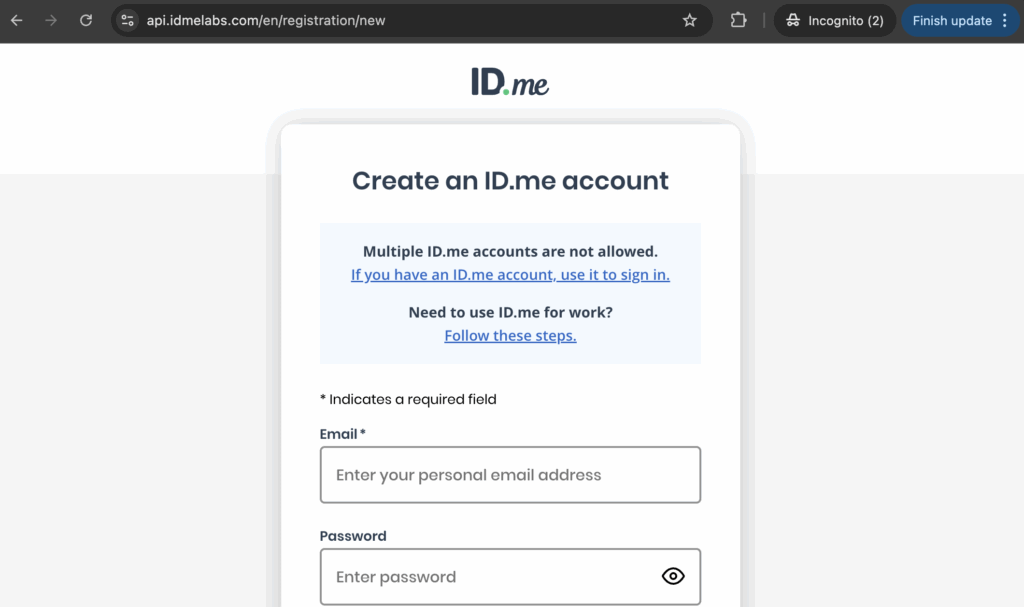
Next step verifies email ownership using 6-digit code. In sandbox, verification can be bypassed using Complete confirmation.
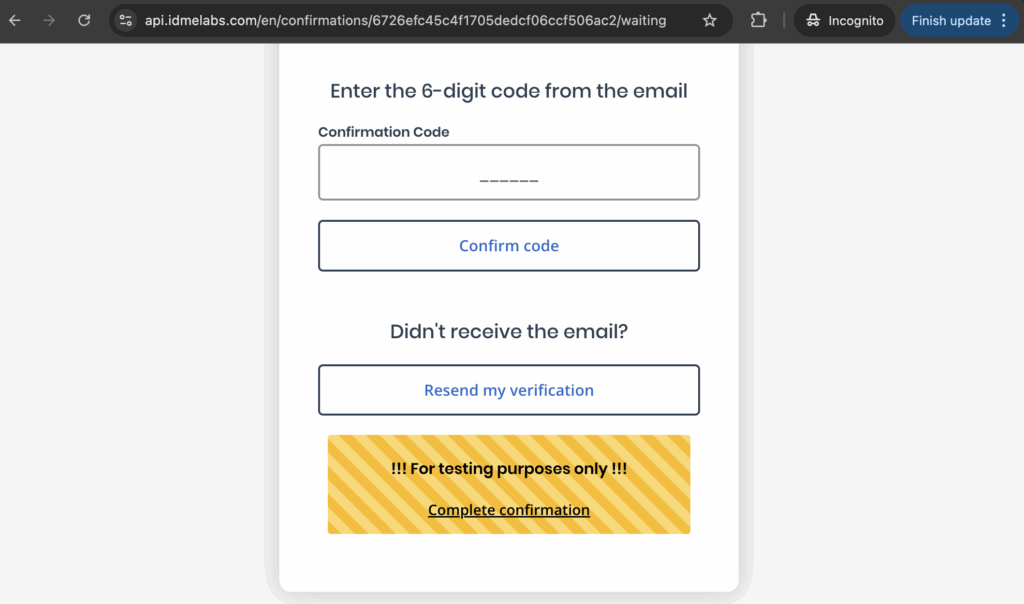
After email confirmation or sandbox bypass using Code Generator Application, click Continue to proceed.
ID.me then prompts for identity verification method selection.
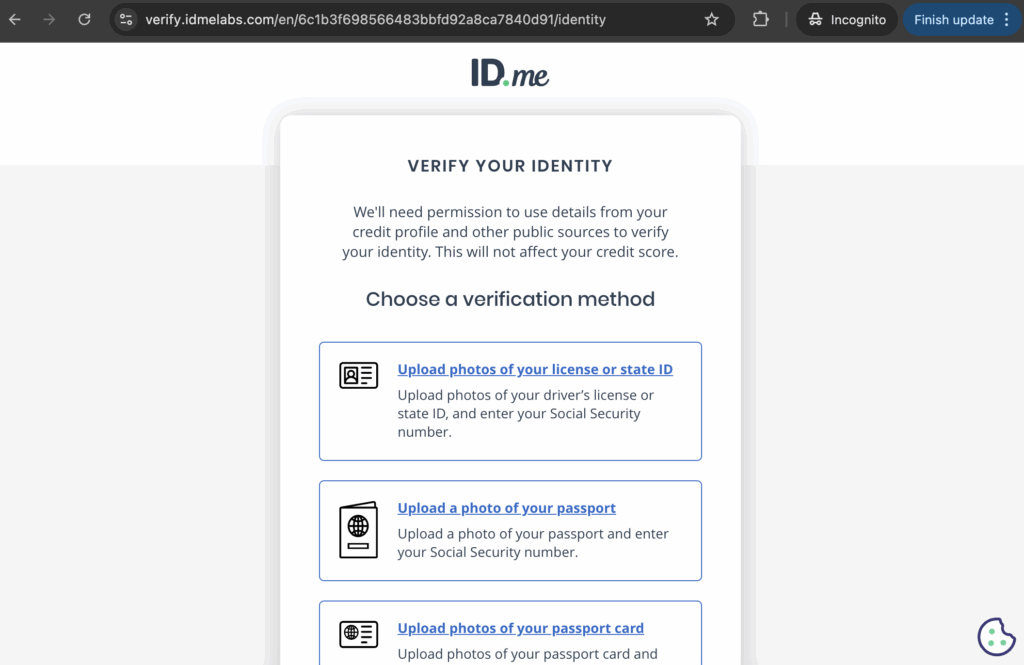
During this step, ID.me Sandbox presents multiple verification flows that require document uploads.
Since Sandbox does not perform real validation, uploaded documents can be dummy or test files. Phone number verification can also be bypassed by selecting document upload instead.
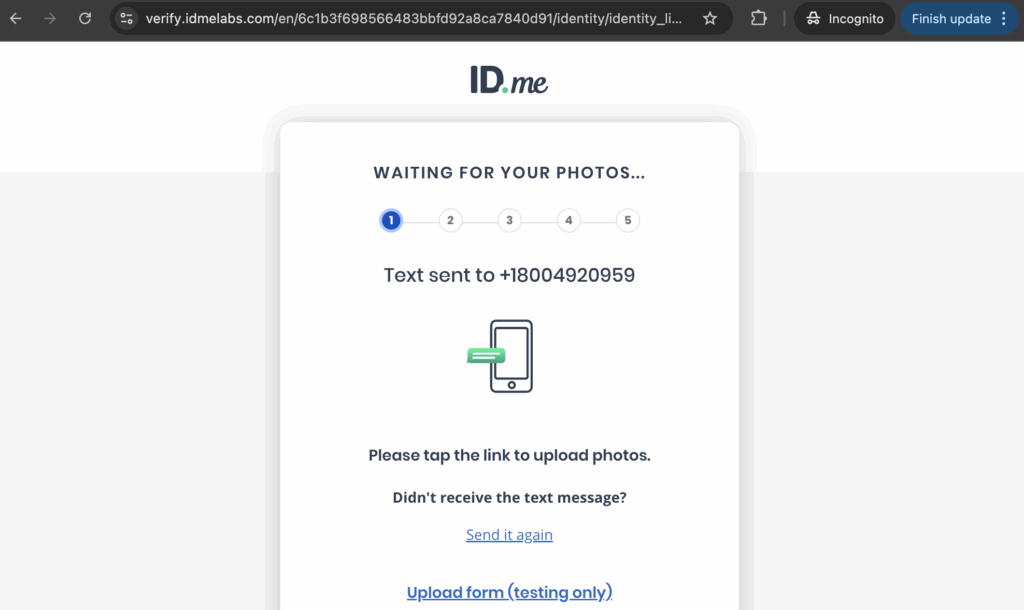
After test document upload, ID.me Sandbox continues verification and prompts for Social Security Number entry.
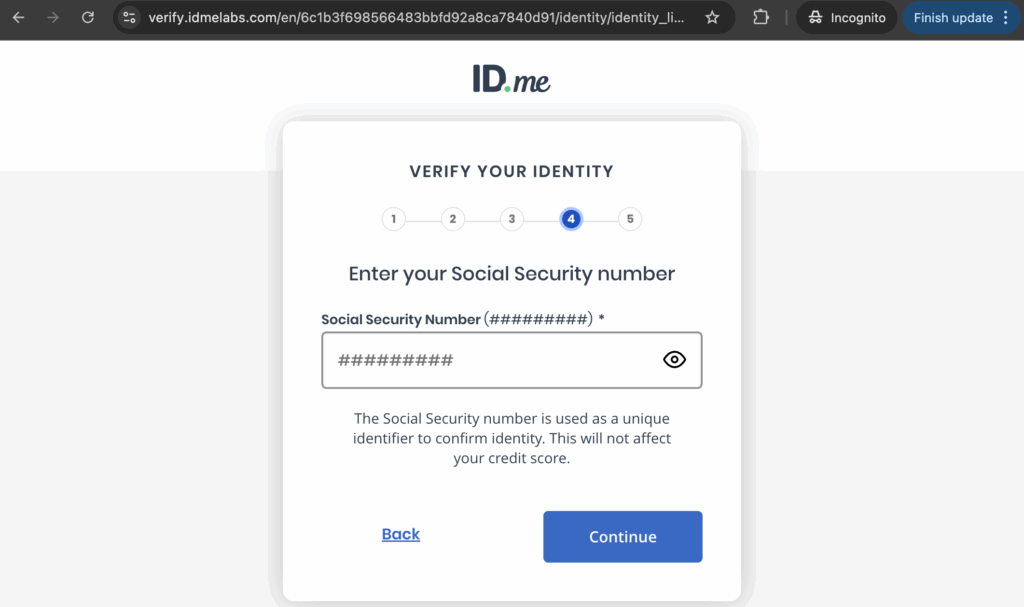
After completing ID.me sandbox account setup once, reuse same account for future tests.
Open authorization URL again in browser, sign in with sandbox account, and ID.me redirects back to callback URL with authorization code.
This confirms redirect wiring only, not secure SPA authentication.
https://localhost:8443/content/flagtick/j_security_check?code=d2bc3998a79f45829a8cc41f63266753Because authorization request is opened directly in browser, returned authorization code is not consumed by SPA or AEM.
Code can be exchanged manually using Postman to validate the token endpoint configuration (POST https://api.idmelabs.com/oauth/token).
https://api.idmelabs.com/oauth/token?code=&client_id={{client_id}}&client_secret={{client_secret}}&redirect_uri={{redirect_uri}}&grant_type=authorization_codeExample successful response:
{
  "access_token": "...",
  "token_type": "bearer",
  "expires_in": 300,
  "scope": "http://idmanagement.gov/ns/assurance/ial/2/aal/2 openid",
  "refresh_token": "...",
  "refresh_expires_in": 604800,
  "id_token": "..."
}Reusing the same authorization code results in an error:
{
    "error": "invalid_grant",
    "error_description": "The provided authorization grant is expired or revoked"
}Authorization codes are single-use and cannot be reused.
SPA and AEM Headless applications maintain authenticated access using refresh tokens, not repeated authorization requests.
Access tokens authorize API calls, while ID tokens are validated client-side using JWT and JWKS to establish user identity.
| Token | Usage |
|---|---|
| id_token → validated client-side (JWT + JWKS) to establish user identity and extract verified claims for business logic | ❌ Not sent to API Gateway |
| access_token → validated by API Gateway JWT Authorizer | ✅ Sent to API Gateway |
Decode ID token with JWT inspection tool to inspect identity claims provided by ID.me.
{
  "iss": "https://api.idmelabs.com/oidc",
  "sub": "***************************",
  "aud": "***************************",
  "exp": 1767292354,
  "iat": 1767274354,
  "birth_date": "1942-07-09",
  "email": "***********",
  "given_name": "***********",
  "name": "***********",
  "social": "*******",
  "family_name": "*******",
  "phone": "************",
  "zip": "*****",
  "credential_option_preverified": "Preverified",
  "uuid": "***************************"
}Instead of parsing ID token, identity claims can be retrieved via ID.me UserInfo endpoint using valid access token, following protected-resource authorization flow.
This offers alternative path to verified identity data:
GET: https://api.idmelabs.com/api/public/v3/userinfoDiagram below shows identity and authorization separation.
- ID token builds user context.
- Access token authorizes protected resources.
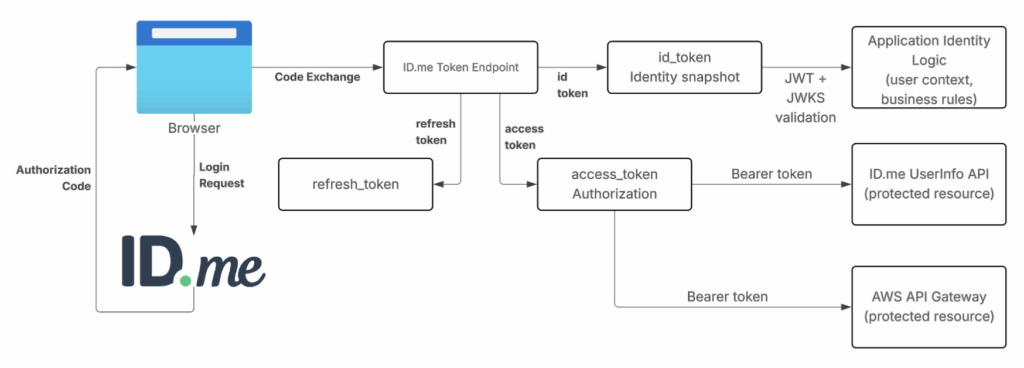
This section validates ID.me redirect wiring using direct browser access in the sandbox.
It intentionally bypasses SPA security mechanisms such as state and PKCE to confirm basic authorization flow only.
Next section explains how SPA or AEM Headless frontends initiate authentication securely using state and PKCE, which represents production-ready implementation and core focus of this article.
Browser-Owned State and PKCE for Secure SPA
Modern browsers provide all primitives required to implement secure OAuth 2.0 authorization flows.
This section demonstrates SDK-minimal SPA authentication using browser-owned State and PKCE, implemented entirely with browser APIs.
ID.me sample applications follow this model by relying on crypto, URLSearchParams, and fetch, rather than abstracting flow behind framework-specific SDKs.
State and PKCE are generated in browser before redirect and stored so they survive authentication round-trip.
const state = crypto.randomUUID();
sessionStorage.setItem('oidc_state', state);

const verifier = crypto.randomUUID();
sessionStorage.setItem('pkce_verifier', verifier);

const encoder = new TextEncoder();
const data = encoder.encode(verifier);
const digest = await crypto.subtle.digest('SHA-256', data);

const challenge = btoa(
  String.fromCharCode(...new Uint8Array(digest))
)
  .replace(/\+/g, '-')
  .replace(/\//g, '_')
.replace(/=+$/, '');Authorization request is constructed using standard query parameters and sent via browser redirect.
const params = new URLSearchParams({
  response_type: 'code',
  client_id: CLIENT_ID,
  redirect_uri: REDIRECT_URI,
  scope: 'openid profile',
  state,
  code_challenge: challenge,
  code_challenge_method: 'S256',
});

window.location.href =
`https://api.idmelabs.com/oauth/authorize?${params.toString()}`;Redirect pauses JavaScript execution but does not clear browser state. Security is enforced only after browser returns.
When authentication completes, browser loads callback route with authorization code and state.
const params = new URLSearchParams(window.location.search);
const code = params.get('code');
const returnedState = params.get('state');

const expectedState = sessionStorage.getItem('oidc_state');
if (returnedState !== expectedState) {
  throw new Error('State mismatch');
}Authorization code is exchanged using PKCE without client secret.
const tokenRes = await fetch('https://api.idmelabs.com/oauth/token', {
  method: 'POST',
  headers: { 'Content-Type': 'application/x-www-form-urlencoded' },
  body: new URLSearchParams({
    grant_type: 'authorization_code',
    client_id: CLIENT_ID,
    redirect_uri: REDIRECT_URI,
    code,
    code_verifier: sessionStorage.getItem('pkce_verifier'),
  }),
});

const tokens = await tokenRes.json();- No
client_secret - Browser acts as public client
- PKCE proves authorization code ownership
State and PKCE do not trust the authorization response by default; they verify that it matches the original browser request and reject unrelated responses, not a compromised browser.
XYZ